I Thought I Knew the 'Type' of Solar System We Needed. I Was Wrong.
When I first started sourcing solar generators for our equipment rental fleet, I assumed one "type" of solar system would fit all our clients. I thought, "A solar generator is a solar generator. We just need something portable and reliable." That assumption cost us roughly $4,200 in wasted budget and three angry customer calls in Q3 2023 alone.
It took me about 18 months and 50+ rental cycles to understand that the question—"how old is the solar system?"—doesn't just apply to the technology itself, but to the way you think about matching the right system to the right use case. This isn't a topic with a one-size-fits-all answer. The best system depends entirely on your client's needs, your operational constraints, and—honestly—how much you trust your vendor's pricing model.
Let me break down the three main types of solar systems for commercial rental and help you figure out which one fits your situation. I'll share where I went wrong, what I learned, and why a vendor's transparency (and a simple way to track their gear, like a Morningstar login app) became my biggest priority.
Scenario A: The Portable, All-in-One Solar Generator (For Small to Medium Jobs)
Who this is for: Clients who need temporary power for events, construction site trailers, or backup for small offices. They want a plug-and-play solution where the inverter, battery, and panels are all integrated.
This is what I initially bought for our fleet. A few all-in-one units with a decent Morningstar logo on the inverter box. They were sleek, easy to move, and the sales rep said they'd handle "most basic loads."
What I learned the hard way: I didn't check the inverter's continuous vs. surge rating. My first rental client plugged in a small commercial refrigerator and a water pump. The unit shut down in 20 minutes. The inverter couldn't handle the inrush current. I had to send a larger backup generator (a noisy diesel one) to a very upset site manager. That mistake cost me a $200 emergency delivery fee and a lot of credibility.
My advice for this scenario:
- Look for an inverter with a surge rating at least 2x the continuous rating.
- Make sure the battery capacity is clearly stated in kWh, not just Ah. I wish I'd had a conversion chart taped to our intake sheet.
- Critical check: Does the unit have a monitoring app? A good Morningstar login app (or similar) lets you and the client see real-time power draw and battery level. This alone could have prevented my failure. If the vendor hides the app's functionality or tries to charge extra for it, that's a red flag.
Scenario B: The Modular, Component-Based System (For Larger, Continuous Loads)
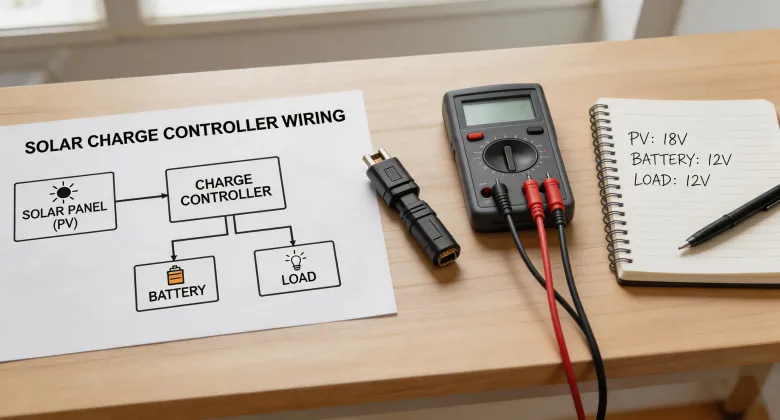
Who this is for: Clients running a remote field office for weeks, portable telecom towers, or small-scale agricultural pumping. These systems use separate components: a charge controller, a battery bank, and a separate inverter.
After my all-in-one disaster, I decided we needed the most powerful, most flexible system I could find. I assembled a modular kit using a high-end inverter and large, off-brand batteries. I thought, "More components = more reliability."
What I learned the hard way: Component incompatibility can entirely disable a system. The inverter required a specific communication protocol from the battery management system that my cheap batteries didn't support. The system worked for about two days, then threw an error code that locked everything down. I spent three days and another $450 in shipping between vendors trying to get a firmware update that should have been free.
My advice for this scenario:
- Buy all components from a single, reputable vendor or an authorized integrator. The Morningstar logo on the charge controller should ideally match the brand of the inverter and battery for a seamless system.
- Ask for a written compatibility matrix. If the salesperson hesitates or says "it should work," walk away.
- Demand a simple way to manage the system. I've come to believe that a clear, functional monitoring portal (like a well-designed Morningstar login app) is worth more than 5% peak efficiency. If I can't see the system's status remotely, I can't manage it.
Scenario C: The Hybrid Grid-Interactive System (For Backup Power with Long-Duration Needs)
Who this is for: Clients who need a system that can charge from solar and also from the grid (or a generator) during extended bad weather. This is for critical backup (like a data center or a small medical clinic) where uptime is non-negotiable.
I've only had one client need this, but it was a $3,200 order. We spec'd a system with a hybrid inverter. The client's main concern was uptime, but they were also very price-sensitive. They didn't want to pay for a full battery bank, so we suggested a smaller one.
What I learned: Understanding the basics of "how old is the solar system" in terms of its design life is different from understanding its operational life. We purchased the system based on a 10-year battery warranty. But the inverter's "standard turnaround" for a warranty claim was 14 business days. A two-week downtime would have been unacceptable for this client. The vendor's pricing was transparent upfront, but they hid their support SLA in the fine print.
My advice for this scenario:
- Focus on the vendor's support contract, not just the hardware price. The $2,000 quote from Vendor A might look better than Vendor B's $2,400 quote, but if Vendor A takes two weeks to fix an issue, the total cost of ownership explodes.
- Ensure the system has a robust monitoring system with alerting. The client needs to know when the grid fails, not just when the battery is low.
- Ask the vendor: "What happens when the monitoring app goes down?" If they don't have a backup plan—like a local display on the inverter—that's a huge risk.
How to Choose Your Scenario (My Practical Guide)
So, how do you know which scenario you're in? I use a simple decision tree now, based on my years of mistakes.
- Define the load: Is it a few small devices under 1.5kW (Scenario A), a continuous load up to 5kW (Scenario B), or a critical load that needs 24/7 uptime (Scenario C)?
- Assess the expertise on site: Is the client's team tech-savvy enough to troubleshoot a component error (Scenario B), or do they need total plug-and-play simplicity (Scenario A)?
- Check the budget for total cost of ownership: Are you just comparing the upfront price, or have you asked about shipping, setup fees, and—most importantly—hidden warranty response times? If you're just comparing purchase prices, you're doing it wrong.
- Verify the vendor's transparency: I've learned to ask "what's NOT included" before "what's the price." The vendor who lists all the system's limitations and fees upfront—even if their total looks higher—usually costs less in the end. A clear, functional Morningstar login app is a signal they're not trying to hide anything. A generic, buggy interface is a warning sign.
I wish I had a perfect, universal answer for you. But the truth is, the "best" type of solar system for your rental business depends entirely on your clients and your operational reality. Your mileage will vary. Just don't make the same mistakes I did.
