Monitoring
Controller data that helps operators act
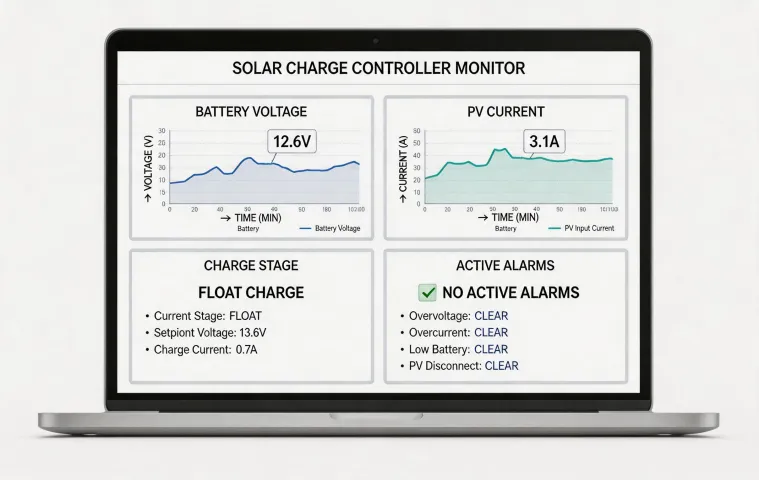
Morningstar monitoring is intentionally direct: battery voltage, charge state, PV input, controller temperature, alarms, and production records. The page is built for teams that need to confirm whether a remote power system is charging correctly without navigating a bloated dashboard.
Fast checks for distributed solar assets
Operators can review daily yield, alarm state, battery behavior, and controller temperature before dispatching a technician. The interface is not meant to replace engineering judgment; it gives maintenance teams a clean evidence trail.
- Remote alarm review
- Charge stage history
- Battery voltage trend
- Exportable service notes
API and reporting notes
Integrator teams can align controller data with site management systems through practical data points rather than broad analytics language. A typical report includes controller identifier, site name, battery profile, PV input status, battery voltage, controller temperature, charge stage, fault code, and the timestamp of the last successful reading. That is enough for many service desks to prioritize a site, compare the event with weather or load conditions, and decide whether the issue is urgent.
For OEM builders, the monitoring conversation usually starts during cabinet design. The controller, meter, communications adapter, cable access, and service panel need to be placed so a technician can inspect the system without disturbing the full power assembly. Morningstar keeps those details visible because monitoring only works when the hardware is installed and labeled sensibly.